

The most significant upgrades don’t often come with big keynotes or marketing glitz. That is exactly what happened with iOS 26.3, which was secretly launched in the middle of February. On paper, it’s a minor update—just another version number in an extensive series of iPhone upgrades. However, behind the surface, it shows a more deliberate approach to interoperability, data ownership, and user experience.
Apple’s new “Transfer to Android” tool is one of the most useful and innovative upgrades. The transition from iOS to Android today feels remarkably smooth after years of having few migration choices. The system starts a guided transfer session when you put your iPhone close to an Android device that supports it. You may choose what you want to take with you, including contacts, notes, apps, saved passwords, messages, and images. It makes sense that things that don’t migrate—like encrypted notes or health data—are left behind. Nevertheless, it’s a very useful tool for people looking to switch platforms or just make a shift.
The new “Limit Precise Location” setting is especially pertinent in light of growing privacy concerns. It limits the granularity of location data exchanged with mobile carriers and is only available on iPhones that use Apple’s C1 or C1X modem processors. The phone now shares an estimated zone rather than street-level coordinates. The function, which is supported by carriers such as Telekom in Germany, EE and BT in the UK, and Boost Mobile in the US, represents a move toward more intentional data control without sacrificing essential connectivity.
| Key Detail | Description |
|---|---|
| Software Update | iOS 26.3 |
| Release Date | February 11, 2026 |
| Major Features | Transfer to Android, Limited Carrier Location, New Weather Wallpapers |
| Privacy Additions | Limit Precise Location from cellular carriers (select networks only) |
| Device Compatibility | iPhone SE (2nd gen) through iPhone 17 series |
| Regional Enhancements | EU-specific proximity pairing for third-party wearables |
| Security Fixes | Patched dyld flaw, CoreAudio, Messages, Game Center vulnerabilities |
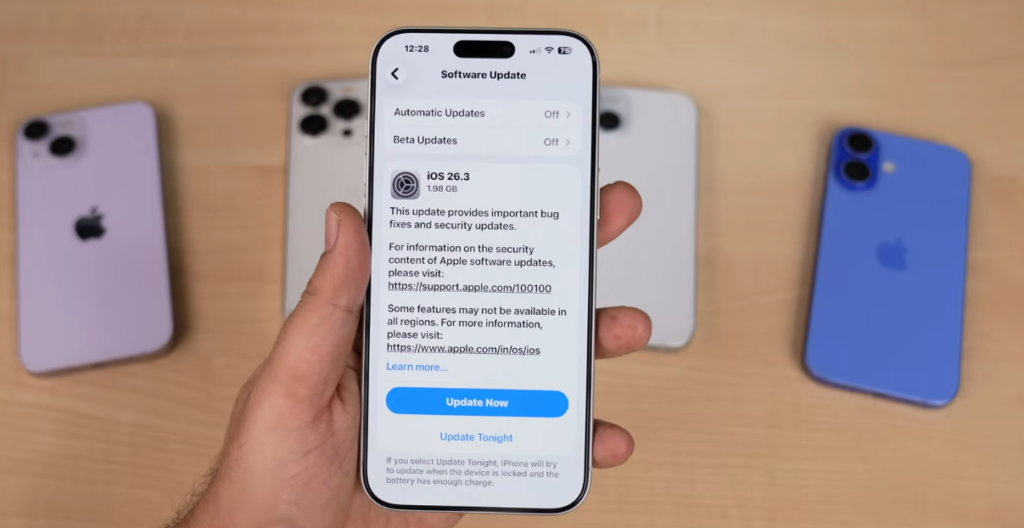
| How to Update | Settings → General → Software Update → Download and Install |
Some updates focus on the appearance and feel of your phone, while others include significant system improvements. Apple separated the Weather category from the previously included “Astronomy & Weather” part in the Lock Screen wallpaper gallery in iOS 26.3. The updated options provide animated weather graphics that adapt to local conditions in real time, such as clouds rolling in, raindrops dripping over the sky, and sunlight fading throughout the day. Though minor, it gives character. This change is especially welcome for users who value visual subtlety.
In the meantime, Apple has quietly but strategically implemented proximity-based pairing for third-party wearables in Europe. Users may now trigger a setup screen akin to the AirPods experience by bringing a compatible smartwatch or wireless headset close to their iPhone. Although the inclusion is EU-specific and obviously influenced by local digital regulations, it also shows that Apple has realized that ecosystems are no longer exclusive.
Every Apple version continues to prioritize security, and iOS 26.3 offers a wide range of updates. Most significantly, it fixes a vulnerability that was extensively exploited in the wild in the dyld dynamic linker, a component essential to app loading. Apple swiftly shut it down after attributing this to a “extremely sophisticated attack.” Vulnerabilities in Messages, the Photos app, CoreAudio, and Game Center were all fixed. Some of these problems, which may have easily gone unreported but posed actual risk, permitted unauthorized access from the Lock Screen or sandbox escape exploits.
On a train, I recall looking at the update details and, largely out of habit, clicking “Download and Install.” However, I hesitated a few days later when I was pairing my test device with a non-Apple wearable. The one-tap combination was successful. No codes, no app. It looked remarkably like AirPods. Additionally, Apple’s walled garden felt less inflexible for a short while.
The responsiveness of the system has also been updated. Many users have reported that transitions—from folders to Control Center to program launch—feel much smoother, even though this isn’t stated in fancy terms. A portion of that can be attributed to improvements made to the rendering engine, which now operates more effectively. This type of performance polish isn’t highlighted in headlines, but once you see it, it feels familiar. A phone just does what it’s supposed to do, faster, cleaner, and frictionless.
Despite initial claims to the contrary, Notification Forwarding, a feature tested during the beta, was not included in the final version. Apple probably withheld it for additional refinement. However, it looks like the foundation is set, suggesting that a wider release would occur in iOS 26.4—which is anticipated to bring Gemini-enhanced Siri and enhancements to Apple Intelligence capabilities.
Naturally, the update is compatible with a wide range of Apple products, including the top iPhone 17 Pro Max and the second-generation iPhone SE. You may easily install it by going to Settings > General > Software Update. A backup is advised as usual. However, there is a case to update sooner rather than later for those who are waiting. Not only because it’s more convenient or looks better, but also because a small patch now could be silently protecting you from a bigger threat tomorrow.
Apple’s updates have gotten increasingly layered in recent years, focusing more on interlocking enhancements than on massive, singular changes. That beat is met with iOS 26.3. It’s full of thoughtfully chosen little details, but it’s not ostentatious.
