

The silent rage of a terminal window blinking back at you with the same error message repeatedly is a type of frustration that only developers understand. That message typically appears as “gateway connect failed: Error: pairing required” or the equally confusing “Disconnected (1008): pairing required” in the case of OpenClaw.
It appears to be a bug at first glance. Something is broken. There is a configuration error. However, after witnessing numerous users struggle with it in forums and VPS installations, it seems that this isn’t a problem at all. Perhaps too directly, it’s a security feature exposing itself.
The OpenClaw Gateway is intended to serve as a managed conduit between the AI agent runtime and devices. A device doesn’t simply handshake and move forward when it tries to connect, whether it’s an Android node, iOS app, TUI dashboard, or CLI instance. It requests authorization. express consent. The pairing step is that.
And what if that approval isn’t properly given? You’re not able to access anything.
| Category | Details |
|---|---|
| Project Name | OpenClaw |
| Type | Open-source AI Agent Framework |
| Core Component | OpenClaw Gateway |
| Pairing Method | WebSocket-based device approval |
| Common Error | Disconnected (1008): pairing required |
| Install Methods | CLI, Docker, VPS |
| Mobile Support | iOS & Android Nodes |
| Security Model | Token-based device pairing & scopes |
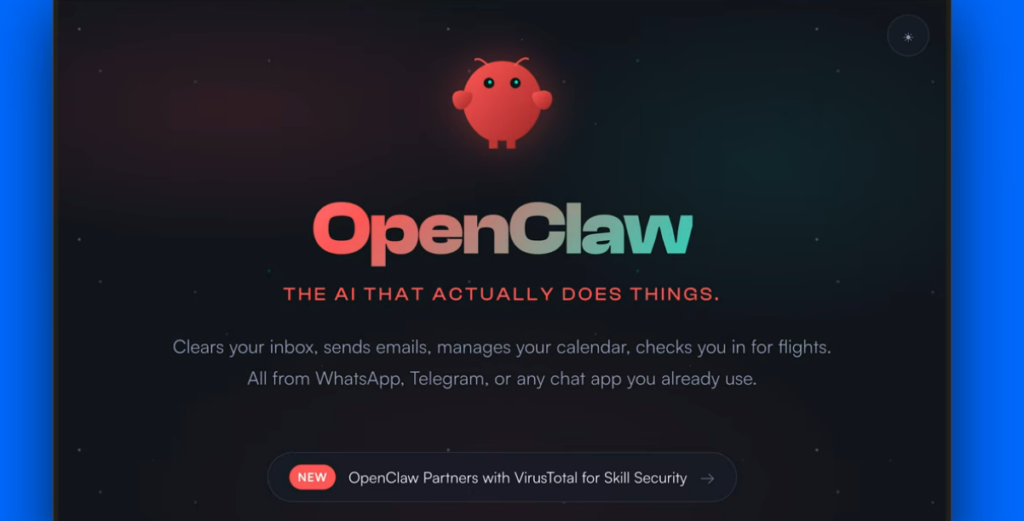
It’s possible that a lot of new users don’t realize how rigorous the pairing model is. Everything looks clean on a brand-new VPS installation. The gateway is successfully launched. Without any issues, the token generates. Still, the terminal keeps saying “pairing required” and won’t connect. It can seem unreal to watch that loop repeat, especially after repeatedly running openclaw doctor –fix.
In actuality, device scopes are frequently the problem.
OpenClaw uses a JSON configuration file, usually found in ~/.openclaw/devices/paired.json, to grant permissions to paired devices. The file establishes whether a device can fully control operations or just read state. For instance, a CLI tool that lacks the “operator.admin” scope might authenticate but be unable to obtain significant access. Although it recognizes the connection, the gateway rejects authority.
It’s a minor issue. Additionally, it provides insight into OpenClaw’s guiding principles.
OpenClaw was designed with explicit control in mind, in contrast to consumer AI apps that prioritize seamless onboarding. Pairing is a purposeful ceremony of approval. When testing on localhost, that could seem excessive. However, the caution starts to make sense when agents that can send emails, manage files, or automate tasks are deployed.
When you see an error code like 1008, it almost feels comforting. It indicates that the WebSocket connection was purposefully denied. The system is defending itself. However, that hasn’t always been clear from the documentation. Many times, users fall into pairing loops because they think something is tampered with.
In actuality, the fix frequently entails manually approving pending pairing requests after listing them with commands like openclaw devices list or openclaw nodes pending. In order to add missing scopes, the pairing file may occasionally need to be edited. In other cases, conflicts caused by previous installs can be resolved by clearing the cached device identities.
Since the system isn’t the problem, it’s difficult to ignore how frequently reinstalling the OS doesn’t resolve the issue. It is the identity and pairing metadata that are stored. The deadlock is often resolved by deleting ~/.openclaw/devices/ and restarting the gateway, indicating that pairing states persist longer than anticipated.
Another layer is added by mobile pairing.
The process relies on WebSocket discovery when connecting iOS or Android nodes, frequently through manual host entry or LAN (Bonjour). An automatic pairing request is generated. However, the application stays disconnected until the gateway operator gives their approval. It can be disappointing to watch the mobile app do nothing while the gateway silently awaits approval.
Whether OpenClaw’s pairing user experience will improve with subsequent releases is still unknown. The clarity of security is given precedence over user convenience in the current system. Some would contend that’s fitting for an automated AI agent. A more regulated approval process would be preferred by others.
This is part of a larger trend in open-source AI tools. Technical communities typically produce projects that assume knowledge of permission scopes, configuration files, and service restarts. Attracted by the promise of autonomous agents, newer users frequently arrive without that background. One can see the friction.
Nevertheless, the design has a captivating quality.
OpenClaw circumvents silent trust presumptions by mandating explicit pairing and scopes. Each gadget needs to be authorized. Each role needs to be announced. Although that rigidity might be annoying when setting up, it probably keeps unintentional exposure at bay later.
There is a mix of relief and fatigue as one watches online debates play out. The fix is posted by someone. Others respond with appreciation. The once-catastrophic error is actually an unapproved request or a missing scope entry.
It’s difficult to avoid thinking of the “pairing required” message as more of a checkpoint than a failure. A reminder that intentional configuration is necessary for powerful tools.
Disclaimer
Nothing published on Creative Learning Guild — including news articles, legal news, lawsuit summaries, settlement guides, legal analysis, financial commentary, expert opinion, educational content, or any other material — constitutes legal advice, financial advice, investment advice, or professional counsel of any kind. All content on this website is provided strictly for informational, educational, and news reporting purposes only. Consult your legal or financial advisor before taking any step.
